 Sort
SortSold-out products move down.
Inventory changes trigger sorting in the collections you turn on. Available products keep their relative saved order.
Move sold-out products down automatically. Bring them back when stock returns. Keep the merchandising order you worked hard to create.
Coming to the Shopify App Store. Already connected? Open Sortflow from Apps in Shopify admin.
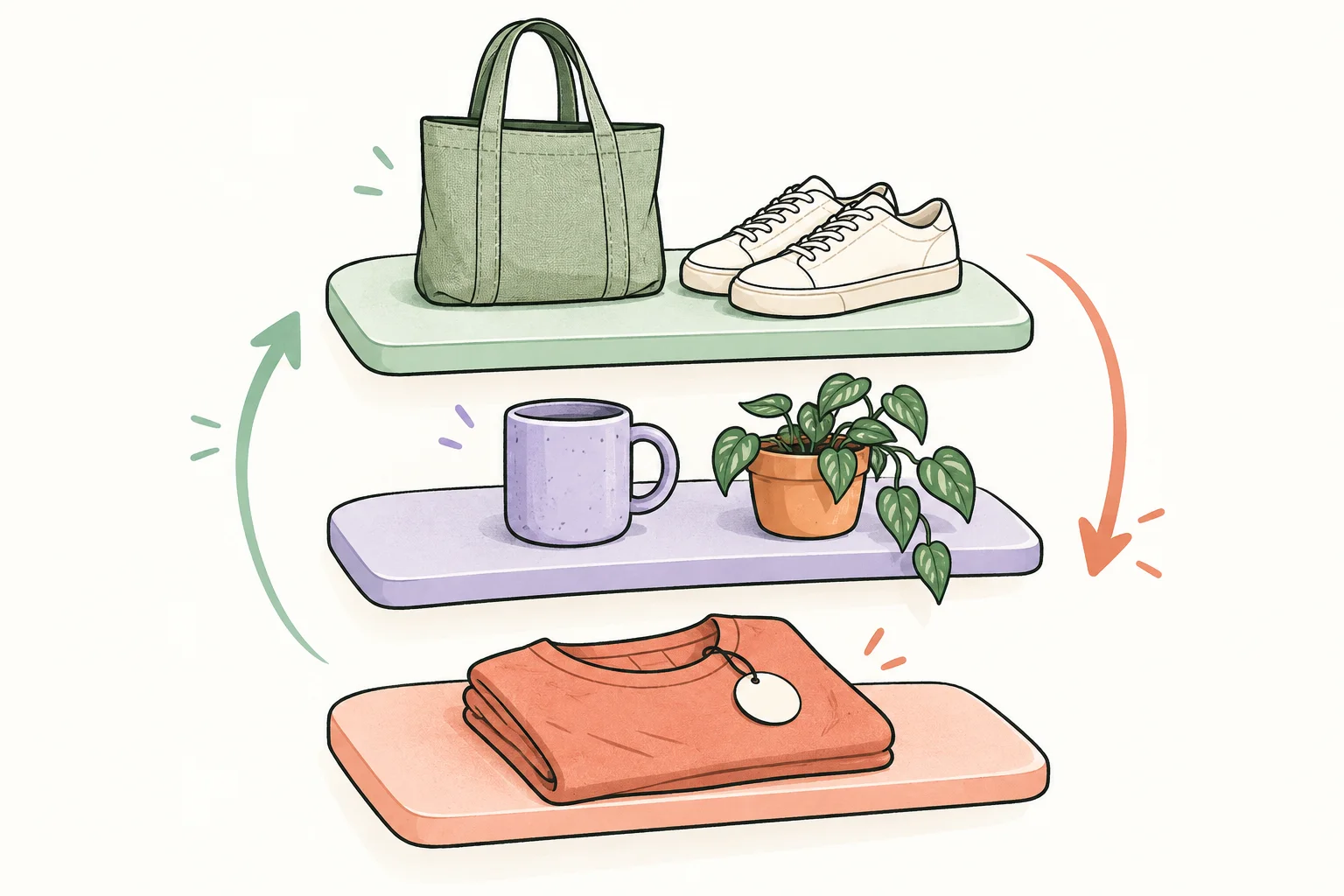
That favorite mug sells out. Sortflow makes room for what’s available. Restock it, and it returns to its saved place.
Interactive illustration with sample products. It never changes your store.
The sold-out mug moves down. Available products keep their relative saved order.
Review every move, pause sorting, and put your saved order back when needed.
Inventory changes trigger sorting in the collections you turn on. Available products keep their relative saved order.
Restocked products go back to where you placed them, within the rules you chose.
See every proposed move before turning on sorting. Sortflow checks the collection again before applying.
Pause future sorting, undo the latest change, or put your saved order back.
If someone changes the collection order in Shopify, Sortflow pauses and asks which order you want.
See confirmed sorting results and issues in Recent activity.
Choose products or exact tags that should stay in their current positions while the rest sort around them.
Set a low-stock level, wait before moving products down, or sort hourly or daily in your time zone.
Inspect each collection’s moves, then turn on or pause sorting for your selection.
Sync your catalog and select a collection set to Manual sorting. Sortflow saves the order you start with.
Review the proposed moves and enable automation when you’re ready. You choose which collections it manages.
Sell-outs move down. Restocks return to place. Check the activity history, or pause whenever you need to.
A walkthrough recorded in our Shopify development stores. Follow installation, inventory changes, the actual storefront order, and recovery controls. Waiting periods are removed.
Captioned footage · no audio required
Watch the full demo (6 min)Give available items the front row while keeping sold-out product pages published. Sortflow changes collection order without adding storefront theme code.
No feature tiers or usage charges.
Need a larger store limit? Talk to us$5.99USD / month
7-day free trial
Billing starts only after you approve the plan in Shopify. Development stores can test without a charge.
Sortflow is preparing for its Shopify App Store release. Once approved, you will be able to install it from its listing and open it from Apps in Shopify admin. Already connected development stores can test without a charge.
Both manually created and automated collections are supported when their sort order is Manually. Sortflow does not change this setting. The plan supports sorting for 25 collections and up to 1,000 products across all statuses, including drafts and archived products.
A supported product is available when at least one variant can be sold through the online channel. “Continue selling when out of stock” and untracked inventory are respected when Shopify marks the variant available. Incomplete, unpublished, subscription-only or unsupported bundle data needs review.
Stock changes trigger sorting, and Sortflow double-checks about every 15 minutes. Shopify processing, store size, and current activity affect timing, so changes are not guaranteed to be instant.
Sortflow changes collection order. Products stay published, and no storefront theme code is installed. It does not currently hide products or variants, create redirects, or send customer back-in-stock emails. Keeping a page published does not guarantee search rankings.
Restocked products return to their saved positions. New products in the collection are added to the end of your saved order. Available items stay ahead of sold-out items while preserving their relative saved order.
Yes. Sortflow pauses when the collection order changes outside the app and asks whether to keep Shopify’s current order or put back your saved order. A shopper’s chosen storefront sort can also override the default collection order.
Pause stops future sorting; a change Shopify already accepted may still finish. You can undo the latest change when the order has not changed since. Restore puts current collection products back into your saved order. Restore before uninstalling, because Shopify may revoke access immediately.
Sortflow uses product, inventory and collection data to sort and restore order. It stores encrypted Shopify credentials and operational history. It does not request customer or order records. Read the privacy policy.
A practical setup guide from sync to preview.
Read the guide ↗STAY IN CONTROLUnderstand conflicts and recovery before you need them.
Explore recovery ↗Choose your store, then find Sortflow under Apps.
Allow Google Analytics to measure visits and use of this website. Optional analytics cookies stay off unless you agree. Privacy details.